

Mapping user needs
for Datastory
research · workshopping · USER TESTING

This project was part of a collaborative research assignment where our team explored a real user problem through qualitative studies, ideation workshops, and iterative testing. The goal was to understand user needs deeply and translate those insights into actionable design directions.
INTRODUCTION
MY ROLE
THE TEAM
I contributed to the research design, conducted interviews and user studies, facilitated parts of the ideation workshop, and supported the synthesis of insights into clear personas and behavioral patterns.
5 UX-designers, 1 product owner.
December 2024 — March 2025
TIMELINE
To understand how our target users work with both data and dashboards, we conducted qualitative interviews focusing on behaviors, challenges, and unmet needs within data visualization. Our respondents were primarily communicators from NGOs, a group that often relies on data to inform stakeholders, drive engagement, and communicate impact in a clear and trustworthy way.
Through these conversations, it became clear that their daily work involves navigating complex information landscapes, juggling multiple tools, and translating raw data into clear narratives. The interviews revealed underlying patterns in how they manage information, what they expect from digital tools, and where current solutions fall short—insights that shaped the foundation for our analysis moving forward.
Through these conversations, it became clear that their daily work involves navigating complex information landscapes, juggling multiple tools, and translating raw data into clear narratives. The interviews revealed underlying patterns in how they manage information, what they expect from digital tools, and where current solutions fall short—insights that shaped the foundation for our analysis moving forward.
User studies
⚙️ Templates and automation for streamlined workflows
🔗 Integration and centralization of systems
Users rely on accurate and current information to communicate effectively and make confident decisions. Delays or outdated data quickly undermine trust and usability.
BREAKDOWN OF THE insights
✨ Accessible and user-friendly tools
📊 Accurate and updated data are crucial
Managing multiple disconnected tools creates unnecessary friction. Users expressed a clear need for more unified systems that bring everything into one place.
Users expect tools to be intuitive, visually clear, and easy to navigate. Complexity or poor usability becomes a direct barrier to working with data.
Repetitive manual tasks take time away from more impactful work. Streamlined workflows and ready-made templates are seen as valuable ways to increase efficiency.



The Optimizer
The Minimalist
The Maximalist
Behavioral types
Through our research, we identified distinct behavioral patterns that influenced how users approached data, made decisions, and interacted with digital tools. These differences highlighted varying levels of confidence, workflows, and expectations, allowing us to group users into clear behavioral types. By understanding these patterns, we could tailor insights and design directions that better supported each user’s motivations, challenges, and ways of working.
Focuses on efficiency and simplicity, seeking tools and processes that save time and reduce workload. Values automation, templates, and intuitive solutions for quick adoption.
Prioritizes security, control, and stability over innovation. Prefers a limited set of tools and approaches, cautious about adopting new systems or sharing data.
Has access to abundant resources and collects a variety of tools. Seeks to optimize communication and visualization, though sometimes lacks integration strategies for efficient use.
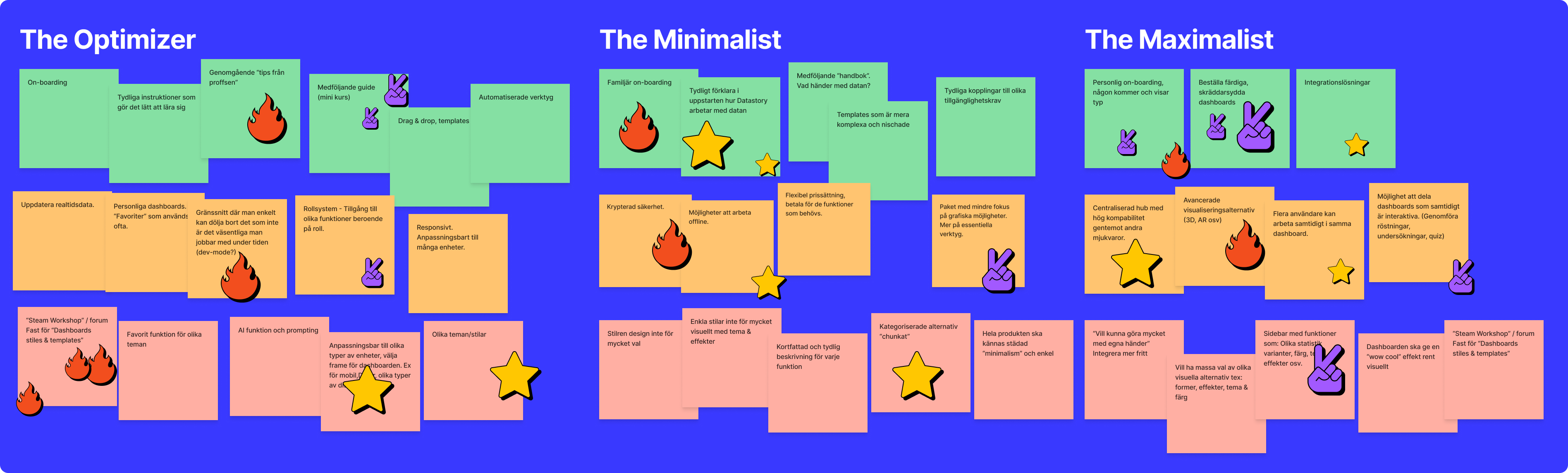
workshop & prioritize ideas
To generate actionable ideas based on our user research, our team held a collaborative workshop. The goal was to translate insights and user needs into concrete concepts for potential solutions, ensuring that the ideas aligned with real user behaviors and motivations.
We structured the workshop around the behavioral types we had identified, using them as lenses to explore diverse approaches. Guided by the core principles of being intuitive, simple, and accessible, we brainstormed a wide range of concepts. Once all ideas were on the table, the team reviewed and voted to prioritize the concepts that best addressed user needs and had the most potential for impact.
We structured the workshop around the behavioral types we had identified, using them as lenses to explore diverse approaches. Guided by the core principles of being intuitive, simple, and accessible, we brainstormed a wide range of concepts. Once all ideas were on the table, the team reviewed and voted to prioritize the concepts that best addressed user needs and had the most potential for impact.
After generating a broad set of ideas, we collaborated with the product owner to prioritize them. Using criteria such as feasibility, user impact, and alignment with our core principles intuitive, simple, and accessible, we evaluated each concept. This process led us to select a single idea with the strongest potential, The community, which became the focus for our next phase of prototyping and testing.
Testing
To validate our ideas and gain deeper insights, we conducted two types of tests: Guerilla testing and usability testing.
Guerilla
Usability
We started with a mini-study to observe how users interact with a community they were already familiar with, Figma in this case. By asking which features they use most, how they navigate, and what frustrations or needs they experience, we were able to identify patterns in user behavior. These insights informed our concept for a community feature on Datastory’s platform, highlighting the importance of accessibility, incentives for engagement, knowledge sharing, and an improved recommendation system to boost interaction.
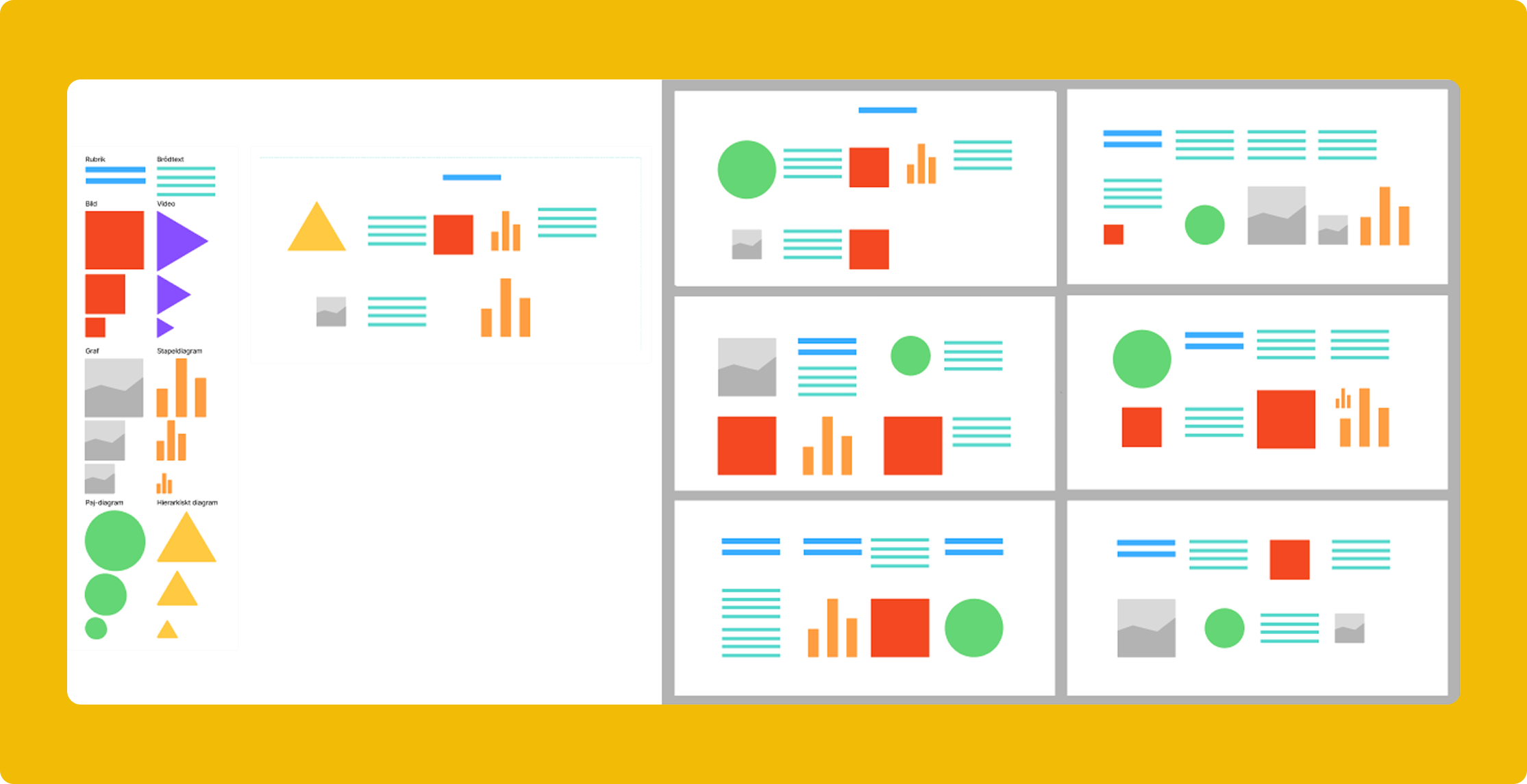
Next, we tested a low-fidelity prototype of Datastory’s “Story Studio,” where participants built dashboard structures from scratch using filtered, pre-selected templates. Combined with open interview questions before and after testing, this method allowed us to observe how users interact with the platform and engage with a potential community feature. Participants, representing our previously defined behavioral types, helped us understand both the conceptual and practical needs of users. The results confirmed that a community is valued for inspiration and collaboration, templates are useful but require thoughtful filtering and categorization, and sharing is appreciated as long as quality is ensured. These findings guided our understanding and refinement of the concept.
Final insights
After synthesizing our research and testing, we identified the key user needs and prioritized them based on impact and importance. These insights informed our recommendations and guided the next steps for the platform and community features.
Users want to save time by using ready-made templates. A community with pre-built templates provides both direct use and inspiration, built with Datastory’s “building blocks.”
🥈 Community engagement
Interest in interacting and sharing is limited. A gradual, step-by-step approach is needed to foster a functional community where users can both give and take.
🥉 Organized templates
5️⃣ Diverse library
A varied collection of templates ensures different users’ needs are met. Datastory can create additional templates based on user feedback.
6️⃣ Tool integration
🥇 Streamlined workflows
4️⃣ Customizable templates
Templates must be editable so users can adapt them to their own projects and needs after downloading.
Clear structure is essential for quality and discoverability. Implementing search, filter, and sorting options helps users find the templates they need quickly.
Users rely on multiple tools. Integrating dashboards across different programs enhances workflow efficiency.